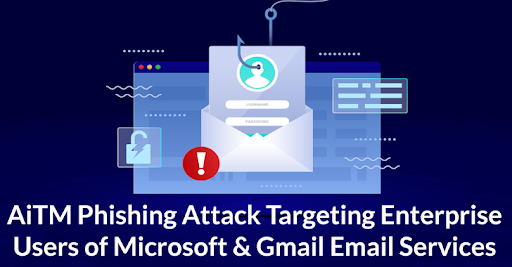

Email is an essential part of our daily digital life. We use it to communicate, share files, and access many online services. However, AI-powered phishing attacks on Gmail users are rising rapidly and becoming more dangerous. Hackers are now using advanced AI tools to create highly realistic emails that are difficult to detect.
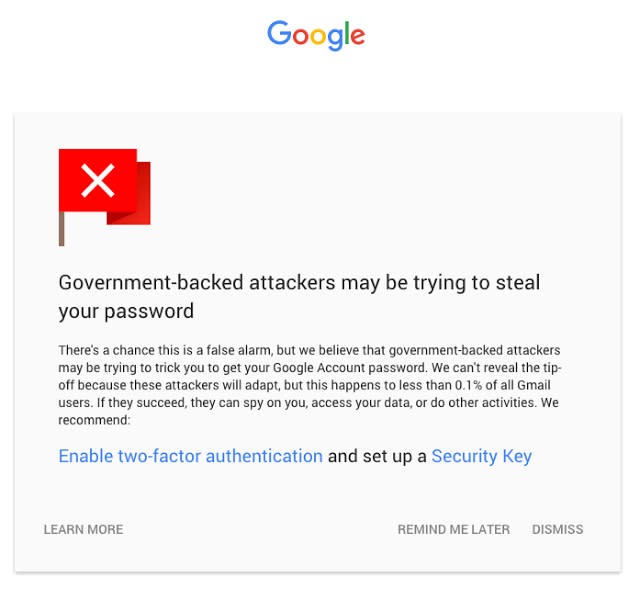
For instance, you may receive an email that appears to be from “Google Security,” warning about unusual activity on your account. It may include your name, official branding, and an urgent message asking you to click a link. Although it looks genuine, it is actually a well-crafted AI scam designed to steal your sensitive information.
What Are AI Phishing Attacks?
Phishing attacks that use artificial intelligence are phony emails. These emails are difficult to spot because they appear authentic. The AI creates believable and personal emails by using information from the internet. The intention is to either install malicious software on your device or steal your login credentials.
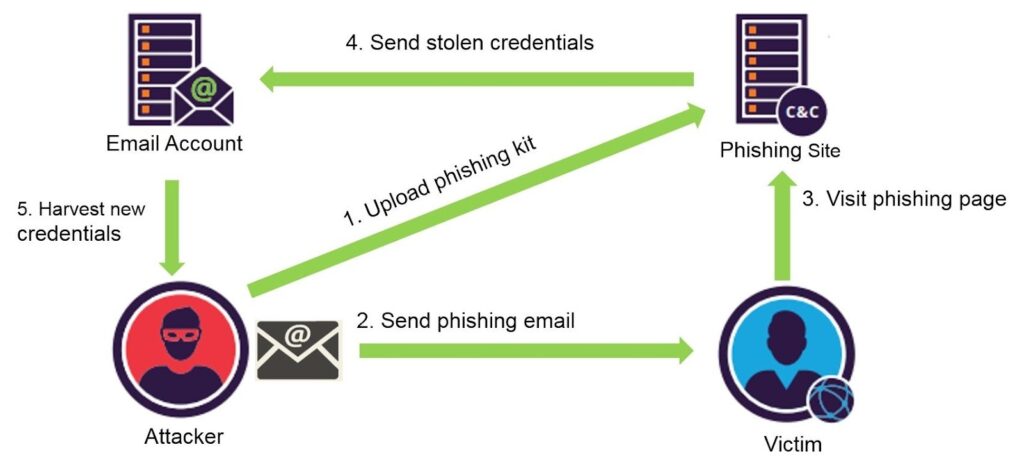
How AI Phishing Attacks Work
- Gathering Info: Hackers find your details from public sites or past data leaks.
- Creating Emails: AI creates fake emails using your data.
- Faking Senders: The email looks like it came from a trusted source like Google.
- Getting a Click: The email has a link or file. Once clicked, it installs malware or steals your data.
Real-Life Example
How a Simple Email Can Hack Your Gmail Account
Emma, a school teacher, relies on Gmail every day for work and personal communication. One afternoon, she received an email that appeared to be from Google, warning her of a login attempt from another country. Concerned, she clicked the link and was prompted to log in. Believing she was protecting her account, she entered her credentials. In reality, it was a AI-powered phishing attack on Gmail users, designed to steal sensitive information.
Within minutes, hackers accessed her Gmail account. They attempted to read emails, reset passwords, and lock her out. Emma acted quickly, changed her password, and enabled two-step verification, regaining access. Unfortunately, many victims of AI-powered phishing attacks on Gmail users are not as lucky.
Why Gmail Users Are Easy Targets
Gmail’s Popularity Makes It a Target
Gmail has over 1.5 billion users worldwide. Its popularity makes it a prime target for hackers using AI-powered phishing attacks on Gmail users to reach a large audience.
One Account Controls Many Services
Your Gmail account connects to services like Google Drive, Photos, Docs, YouTube, and Android devices. If compromised through an AI-powered phishing attack on Gmail users, all linked accounts can be affected.
Sensitive Information Stored in Emails
Many users store passwords, financial details, and private messages in Gmail. Hackers exploit this, using AI-powered phishing attacks on Gmail users to access critical personal data.
Users Trust Gmail
Because Gmail is trusted, users are more likely to fall for emails that appear official. Attackers exploit this trust in AI-powered phishing attacks on Gmail users.
Less Technical Users Are Vulnerable
Not all Gmail users know how to detect fake emails or use extra security features like two-factor authentication. AI-driven phishing makes these attacks even more convincing.
AI Makes Phishing Smarter
AI now enables phishing emails to mimic your name, location, writing style, and tone. This makes AI-powered phishing attacks on Gmail users harder to spot and more dangerous than ever.
How to Identify a Phishing Email
Spotting a fake email can save you from a serious cyber attack. Here are simple tips to help you tell the difference:
Check the Sender’s Email Address Carefully
Look closely. A real email from Google will come from an address like @google.com, not @secure-google.com or similar.
Look for Spelling or Grammar Errors:
Phishing emails often have small mistakes that official emails usually don’t.
Don’t Trust Urgent Language:
If the message says “Act Now” or “Account Suspended” to create panic, be cautious.
Verify the Greeting Style
Real emails often use your full name. Fake ones might just say “Dear User” or nothing at all.
Hover Over Links:
Move your mouse over any link (but don’t click). You’ll see the real web address at the bottom. If it looks odd or doesn’t go to google.com, don’t click it.
Unexpected Attachments:
Avoid opening files from unknown senders as they may contain malicious software.
Too Good to Be True Offers:
If the email says you won a prize or lottery, it’s likely a scam.
If something feels off, trust your instincts. It’s better to delete a fake email than fall into a trap.
Benefits of AI in Cybersecurity
- Faster Detection: AI finds threats quickly.
- Real-Time Alerts: You get alerts as soon as something strange happens.
- Better Filters: Spam and phishing filters are stronger.
- Pattern Tracking: AI notices patterns humans may miss.
Cons of AI in the Hands of Hackers
- Smarter Attacks: Hackers use AI to make better scams.
- Harder to Detect: AI makes emails look very real.
- Expensive Defense: AI protection tools can cost a lot.
- Still Learning: AI is smart but not perfect yet.
Tips to Respond AI-Based Phishing Attacks
- Change your password: Do it for Gmail and any linked services.
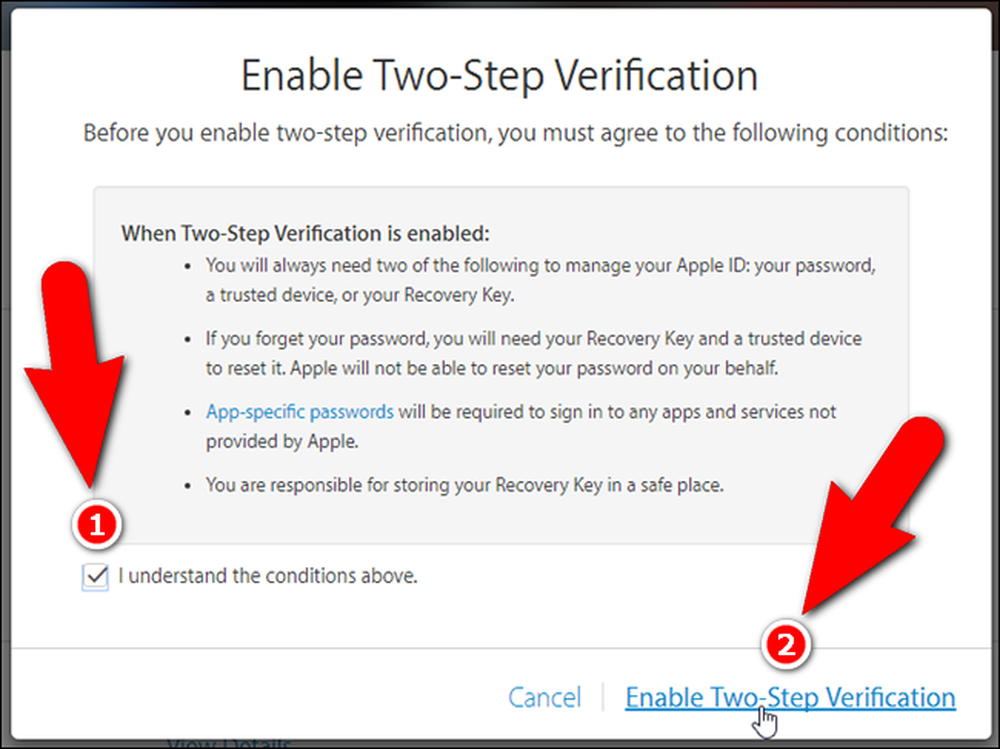
- Enable two-step verification: Adds another layer of security.
- Execute a virus check: Use a trusted antivirus tool.
- Check your account activity: See if someone else logged in.
- Report the email: Send it to Google at phishing@google.com.
How to Stay Safe on Gmail
- Turn on two-step verification.
- Use strong and unique passwords.
- Keep your apps and browser updated.
- Learn about phishing and share tips with others.
- Don’t trust emails that feel off, even if they look real.
Conclusion
AI-powered phishing emails are a real threat. They are not just for tech experts to worry about. Anyone with a Gmail account can be a target. These emails look real, feel urgent, and trick even smart users.
The best defence is knowledge. Know what to look for. Think before clicking. Stay updated on new scams. And always protect your Gmail with strong settings. Stay alert, and you can stay safe.
FAQs
1. How to protect Gmail from phishing?
Enable 2-step verification, avoid clicking unknown links, and check sender email addresses carefully. Always use Gmail’s spam filters and report suspicious emails.
2. How to protect a Gmail account from AI?
Use strong, unique passwords and enable advanced security features like passkeys. Stay alert to AI-generated emails that look real but ask for personal data.
3. How can you stay safe from phishing attacks?
Never share sensitive information through email or links. Verify sources, avoid urgent requests, and use updated antivirus and browser security tools.
4. How can AI be used to prevent phishing attacks?
AI tools can detect suspicious patterns, filter harmful emails, and alert users in real time. They improve security by learning from new threats continuously.
5. What is the best solution for phishing?
A combination of user awareness, strong passwords, and email security tools is the best defence. Always verify before trusting any message.
6. How to ensure Gmail is secure?
Enable 2-factor authentication, review account activity regularly, and keep recovery options updated. Avoid logging in on public or shared devices.
READ MORE ABOUT